Skip to content
3xxxzz Live / Slots
LIVE LOBBY

3xxxzz — Your Rocket and Upay Wallet, Connected to the Lobby

Fund your account with Rocket or Upay, check your transaction record, then move straight into live casino tables, slots or cricket sportsbook markets — all from one mobile-accessible account. Access depends on your local law and eligible region.

bKash Nagad Rocket
Browse games
CONTENT / 01

Browse What 3xxxzz Has Ready for You

The lobby is organised so you can move between game categories without losing your place. Live casino tables sit in their own section — baccarat, roulette and blackjack rooms that stream directly to your browser. Slots from JDB, Joker, Spadegaming, CQ9 and PlayStar fill the next rail, covering everything from classic reel formats to crash-style rounds.

GAME NETWORK
JDB
Joker
Spadegaming
CQ9
PlayStar
CONTENT / 04

3xxxzz lobby studios

The 3xxxzz lobby carries content from JDB, Joker, Spadegaming, CQ9, PlayStar. To check the studio, rules or features of one specific game, open that game card or the published information panel.

  • JDB

  • Joker

  • Spadegaming

  • CQ9

  • PlayStar

DISCOVER / 01

Choose your game

Full lobby
HEADLINE TITLES

The Games Visitors Open First on 3xxxzz

A handful of titles consistently appear at the front of the session for most accounts. Crash Ignition draws a quick-session crowd — rounds are short, the multiplier curve is visible on screen the whole time, and you can exit at any point during the round.

  • Crash Ignition

    A crash-format round where the multiplier climbs visibly on screen and you choose your own exit point. Rounds are short, so it fits naturally into a quick session on mobile. Your result is recorded in the transaction history immediately after each round closes.

  • Cricket Live Lines

    Live cricket markets displayed in a single view, covering BPL fixtures and international matches when available. The market list updates with the match state, and your selections are tied to your account wallet the same way any other game round is handled on the platform.

  • Chittagong Lucky Slots

    A locally themed slot that scales cleanly to a mobile browser without losing the key interface elements. The reel area and bet controls stay accessible on a small screen, which makes it practical for a session away from a desk. RTP is shown where the studio publishes it.

3XXXZZ
Mobile casino lobby
Popular Live Slots
Cricket Live Lines Blackjack Quick Table Chittagong Lucky Slots
MOBILE LOBBY

Built for phones, clear on desktop

Cards, tables, FAQ and policy pages stay easy to read on smaller screens.

  • Quick categories
  • Mobile first
  • Access
App
CONTENT / 03

Open the Full Lobby from Any Mobile Browser

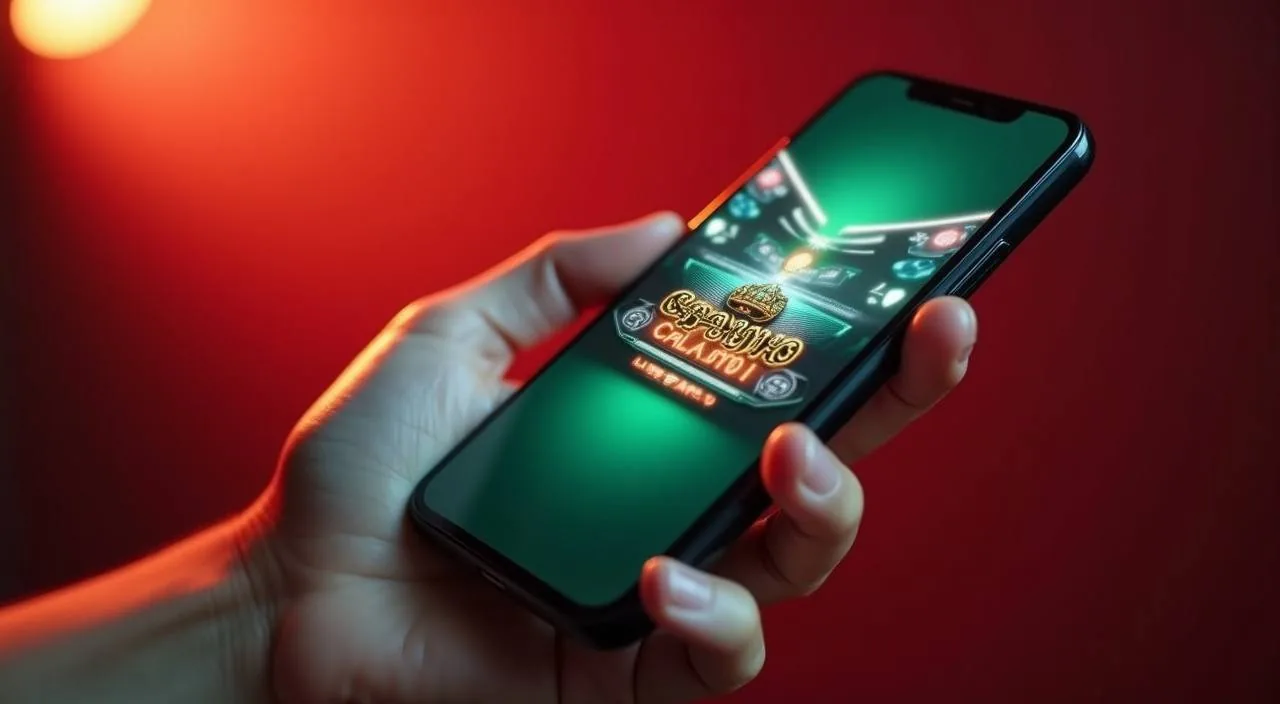
There is no separate app to download or install. The full lobby — live casino tables, slots, crash games and the sportsbook tab — loads through your mobile browser whether you are on Android or iOS. The layout adjusts to your screen size automatically, so the game cards, the wallet balance display and the navigation tabs all stay usable on a smaller screen without pinching or horizontal scrolling.

  • No Download Needed

    The lobby, account dashboard and wallet section open directly in your mobile browser. Nothing to install — just sign in at 3xxxzz and the mobile layout appears automatically on Android or iOS. All sections including live casino tables are accessible this way.

  • Account Syncs Across Devices

    Your balance, transaction history and wallet settings are tied to your account, not a specific device. Fund from your phone, switch to a tablet or desktop — the same account state shows everywhere. Rocket and Upay connections stay active across sessions without re-linking.

  • Mobile-Optimised Game Cards

    Slot cards, live table thumbnails and crash game tiles resize to fit your screen. Bet controls and the wallet balance display remain visible without switching to landscape. Games from Spadegaming and JDB in particular are built for mobile-first display.

ACCOUNT DESK

Account information

Review current account information after signing in.

Login
LOCAL PAYMENTS

Connect Rocket or Upay to Your Account Wallet

Payments at 3xxxzz are built around the wallet methods Bangladesh players already use day-to-day. Rocket and Upay are the verified rails — meaning the deposit and withdrawal flow is set up specifically for those two wallets, not just listed as an option that may or may not work.

  • Rocket

  • Upay

  • bKash

  • Bank Transfer

Banking
ACCOUNT SETUP STEPS

From Registration to First Deposit in Four Steps

The account-to-wallet path is straightforward and the same for every new account. Step one: open the registration page and fill in your details — name, email, mobile number and a password. The fields are labelled clearly; use the same name that is registered on your Rocket or Upay wallet because that match is checked during verification.

  1. Create Your Account

    Fill in the registration form with your name, email and mobile number. Use the same name that appears on your Rocket or Upay wallet — the accounts are matched during the payment verification step.

  2. Verify Your Email

    A confirmation link is sent to your registered email. Click it to activate the account. If it does not arrive within a few minutes, check your spam folder before requesting a resend.

  3. Link Your Wallet

    Go to Account, then Payment Methods. Choose Rocket or Upay, enter your wallet number and follow the on-screen linking instructions. The steps shown there match what your wallet app requires on its end.

  4. Make Your First Deposit

    Use the Deposit option to move funds from your linked wallet to your account balance. When the transaction status updates to confirmed in your history, the balance is available across the whole lobby.

MEMBER DESK / 06

Offers, support and account controls

01

Game lobby

02

Payment guide

03

Support

ACCOUNT CONTROL SIGNALS

Account Controls That Keep You in Charge

The account dashboard gives you direct visibility over how your wallet and session activity are tracked. Your transaction history is a permanent, timestamped record of every deposit, withdrawal and game round result — accessible from the account menu at any point during your session or after it ends.

  • Transaction History

    Every deposit, withdrawal and round result is logged with a timestamp and status in your account history. The record is available from the account menu at any time — no support request is needed to access it. Use it to track your wallet movements and session results in one view.

  • Wallet Visibility

    Your linked Rocket or Upay wallet, current balance and any pending transaction statuses are all visible in the Payment Methods section. You can see the wallet number on file and update it if your registered wallet changes. Balance updates happen in real time as deposits confirm.

  • Region-Based Access Controls

    Access to account features, game categories and payment options depends on local law and the eligible region tied to your account. Where a feature is not available in your region, the dashboard shows that clearly rather than leaving an unexplained gap in the interface.

  • Account Support Route

    The Help section lists the active support contact for account-level questions — wallet linking issues, transaction status queries and access questions. Support is reachable directly from the signed-in Help menu without needing to log out or use a separate contact page.

HELP AND ACCOUNT SUPPORT

Reach Account Support Through the Help Section

If something in your account is not working as expected — a payment that has not confirmed, a wallet link that shows an error, or a question about your transaction history — the Help section is the direct route to the support team. We do not publish a support phone number or a walk-in address.

  • In-Account Help Menu

    The primary support contact is inside the signed-in Help section. Log in, open the Help menu and use the contact option shown there. Having your account signed in when you contact support means the team can access your transaction history and wallet details immediately.

  • Transaction ID Reference

    Every transaction in your account history carries a unique ID. When you contact support about a payment or withdrawal question, include that ID in your message. It lets the support team locate the exact record without back-and-forth, which keeps the resolution process direct.

  • FAQ in the Help Section

    The Help section includes a FAQ covering wallet linking, deposit status, account verification and region-based access. Check it before raising a support request — the answers there are detailed and cover the most common account questions without needing a direct response from the team.

PLAYER INDEX / 07

Common Questions About Wallets and Account Deposits

These are the questions we see most often around the payment setup process. If your question is not here, the Help section inside your signed-in account has a more detailed FAQ and a direct support contact.

Player guide and glossary
  • How do I link my Rocket wallet to my 3xxxzz account?

    Go to Account, then Payment Methods, then select Rocket from the wallet options. Enter the mobile number registered to your Rocket wallet and follow the on-screen steps. The name on your Rocket account must match the name you used when registering with us — this match is checked as part of the standard linking process.

  • Can I use Upay for both deposits and withdrawals?

    Yes. Once your Upay wallet is linked in the Payment Methods section, you can use it for both directions — depositing funds into your account balance and withdrawing back to the same wallet. Withdrawals return to the linked Upay number on file. If you need to change the linked number, update it in the Payment Methods section first; withdrawals always go to the currently linked wallet, not a previously used one.

  • My deposit shows as pending — what should I do?

    Check the transaction status in your account history first. A pending status means the transaction has been received but not yet confirmed. The status description on that record explains what stage the transaction is at. If the pending status does not update after the timeframe indicated on the transaction record, use the Help section to contact support and share your transaction ID — that reference lets the team locate the specific record immediately.

  • Is bKash accepted for deposits at 3xxxzz?

    bKash is listed as an accepted payment method in the Payment Methods section alongside Rocket, Upay and bank transfer. The linking and deposit process for bKash follows the same steps as other wallets — select it from the payment options, enter your registered bKash number and follow the fields shown. Rocket and Upay are the primary verified rails with dedicated support, but bKash is an available option for deposits where it is enabled for your account region.

  • Where can I see a record of all my past transactions?

    Your full transaction history is in the Account menu. Every deposit, withdrawal and game round result is logged there with a timestamp and status. The record is permanent and available at any time during or after your session. You do not need to contact support to access it — it is a standard part of the account dashboard.

  • Does 3xxxzz have a mobile app I need to download?

    No separate app is needed. The full lobby — including live casino tables, slots, crash games and the sportsbook tab — opens directly in your mobile browser. Go to 3xxxzz on your Android or iOS device and sign in; the mobile layout loads automatically. Your account, wallet balance and transaction history are all accessible through the browser the same way they are on desktop. There is nothing to install.

  • How do I know which games come from which studio?

    Each game card in the lobby shows the studio name. The lobby also has a studio filter — select JDB, Joker, Spadegaming, CQ9 or PlayStar from the filter row to see only that studio's titles. These five studios supply all the game content on the site. RTP figures appear on a game card only where the studio itself publishes that data; where a studio has not disclosed a figure, no number is shown on that card.

Full glossary
LOBBY / 02

One mobile lobby, distinct game areas

Cricket Live Lines Sports Cricket Live Lines Access → Blackjack Quick Table Live Blackjack Quick Table Access → Chittagong Lucky Slots Slots Chittagong Lucky Slots Access → Football StrikeZone Sports Football StrikeZone Access → Crash Ignition Slots Crash Ignition Access → Slot Flash Slots Slot Flash Access →
EXPLORE FURTHER / 04

Explore detailed guides

Local lobby check

QUICK ANSWERS

Frequently asked questions

These questions cover account setup, game categories and access. The Help section inside your account has extended answers for anything not covered here.

Read FAQ →
What game categories are available at 3xxxzz?

The lobby covers four main categories: live casino tables, slots, crash-format games and a sportsbook. Live casino includes baccarat, roulette and blackjack rooms. The slots section contains titles from JDB, Joker, Spadegaming, CQ9 and PlayStar. The crash section includes rounds like Crash Ignition. The sportsbook tab lists cricket and football markets, with BPL and international cricket fixtures appearing when available. All four categories are accessible from the same account and the same wallet balance.

Do I need to verify my identity before I can withdraw?

Account verification is a standard part of the withdrawal process. The information you need to provide is described in the account verification section — the required steps are shown there when you initiate a withdrawal. Having your wallet registered in the same name as your account is a key part of this.

Can I use the same account on multiple devices?

Yes. Your account is tied to your login credentials, not a specific device. Sign in on your phone, tablet or desktop and you access the same balance, the same transaction history and the same linked wallet. If you are signed in on one device and open the account on another, the second session will reflect the current account state.

Is cricket betting available at 3xxxzz for Bangladesh players?

Cricket markets are available under the sportsbook tab. BPL fixtures and international cricket matches appear in the market list when they are active. The market details — including what is currently listed — are visible inside the sportsbook section after you sign in. As with all features on the platform, availability depends on local law and the eligible region associated with your account. We do not fabricate odds or results; the markets shown are live and update with match state.

What happens if I forget my account password?

Use the Forgot Password link on the sign-in page. Enter the email address associated with your account, and a reset link will be sent to that address. Click the link, set a new password and sign in as normal.

Are there any fees on Rocket or Upay deposits?

Our platform does not add a processing fee on top of your deposit. However, your Rocket or Upay wallet may apply its own transfer charges depending on the transaction type and amount — those charges are set by the wallet provider, not by us, and they are shown in your wallet app before you confirm the transfer. Check your wallet app's fee schedule for the current rates.

How do I contact support if I have an issue with my account?

Support is accessible from the Help menu inside your signed-in account. The contact option there connects you directly to the support team. For payment and transaction questions, have your transaction ID ready — it is shown in your account history against every record. For account access issues, the Help section also includes a FAQ that covers the most common topics.

Does 3xxxzz work without installing anything?

Completely. The platform is browser-based — desktop and mobile. No app installation, no plugin, no download required. Open 3xxxzz in any modern browser, sign in and the full lobby is available immediately. Live casino table streams, slots from all five studios and the sportsbook section all load through the browser. The layout adapts to your screen size, so the experience on a phone screen is a mobile-adjusted version of the same lobby, not a stripped-down alternative.

READY WHEN YOU ARE

3xxxzz game lobby

Access may be available only where local law permits.

Register Login